
When logged-in users visit your website, WordPress shows the admin bar at the top of every page. Your subscribers, customers or members usually don’t need it. With the free Ultimate Dashboard plugin you hide it for the roles you choose.
Hide the admin bar for certain roles
- Go to Ultimate Dash… → Admin Bar Editor.
- In the Visibility box, tick the roles that shouldn’t see the admin bar on the frontend, for example Subscriber or Customer. Tick All to hide it for everyone.
- Click Save Changes.
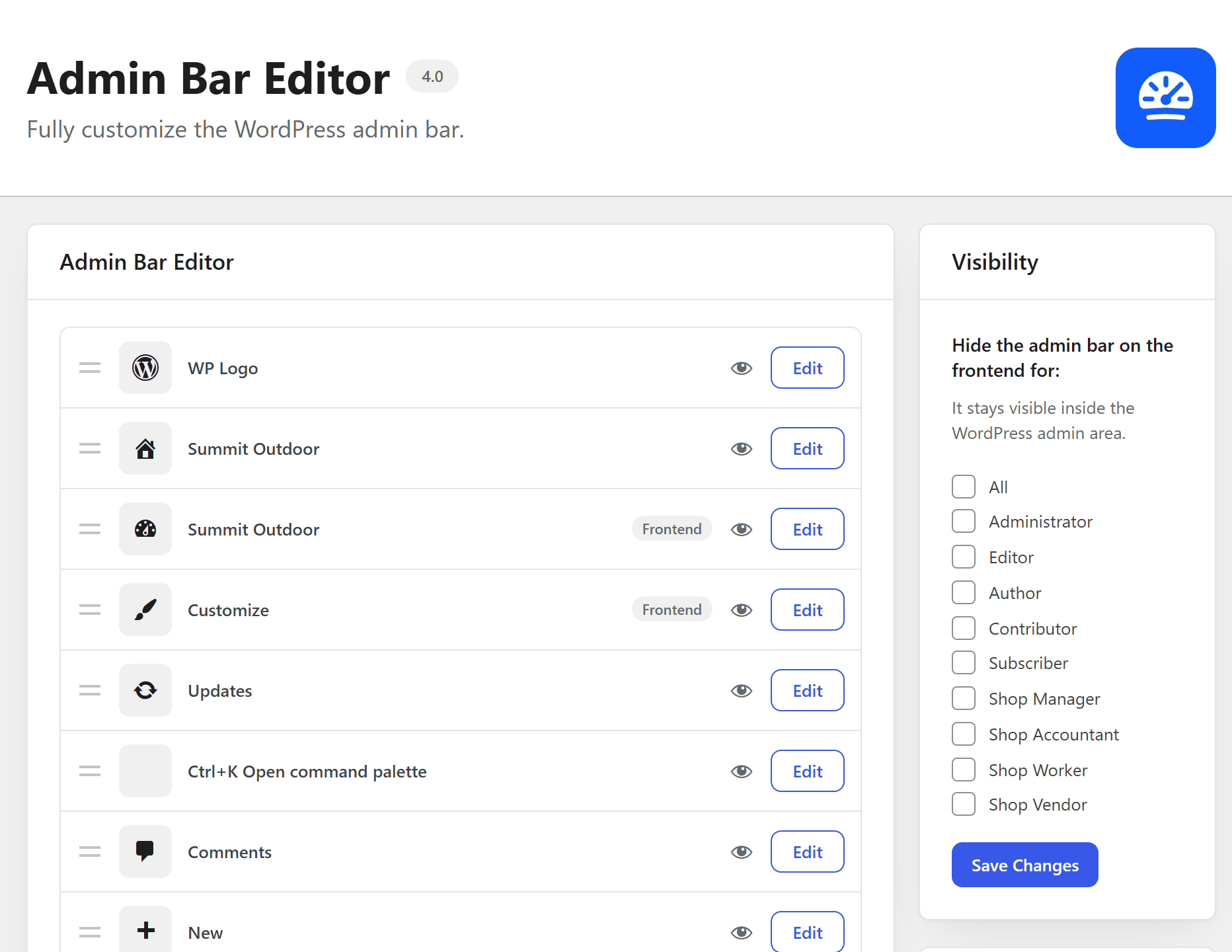
The admin bar stays visible inside the WordPress admin area. Only your website changes.
Don’t see the Admin Bar Editor in the menu? Switch it on under Ultimate Dash… → Modules.
More control over the admin bar
- Hide single admin bar items instead of the whole bar: Admin Bar Editor (PRO).
- Auto-hide the admin bar until you move the mouse to the top, or replace it with a cleaner panel: Better Admin Bar (free).
- Admin bar missing when it shouldn’t be? See admin bar not showing.