
The HTML widget gives you full control: write your own HTML and build any dashboard widget you like, for example a styled welcome box, a list of links, an embedded form or a status overview. It’s free in Ultimate Dashboard.
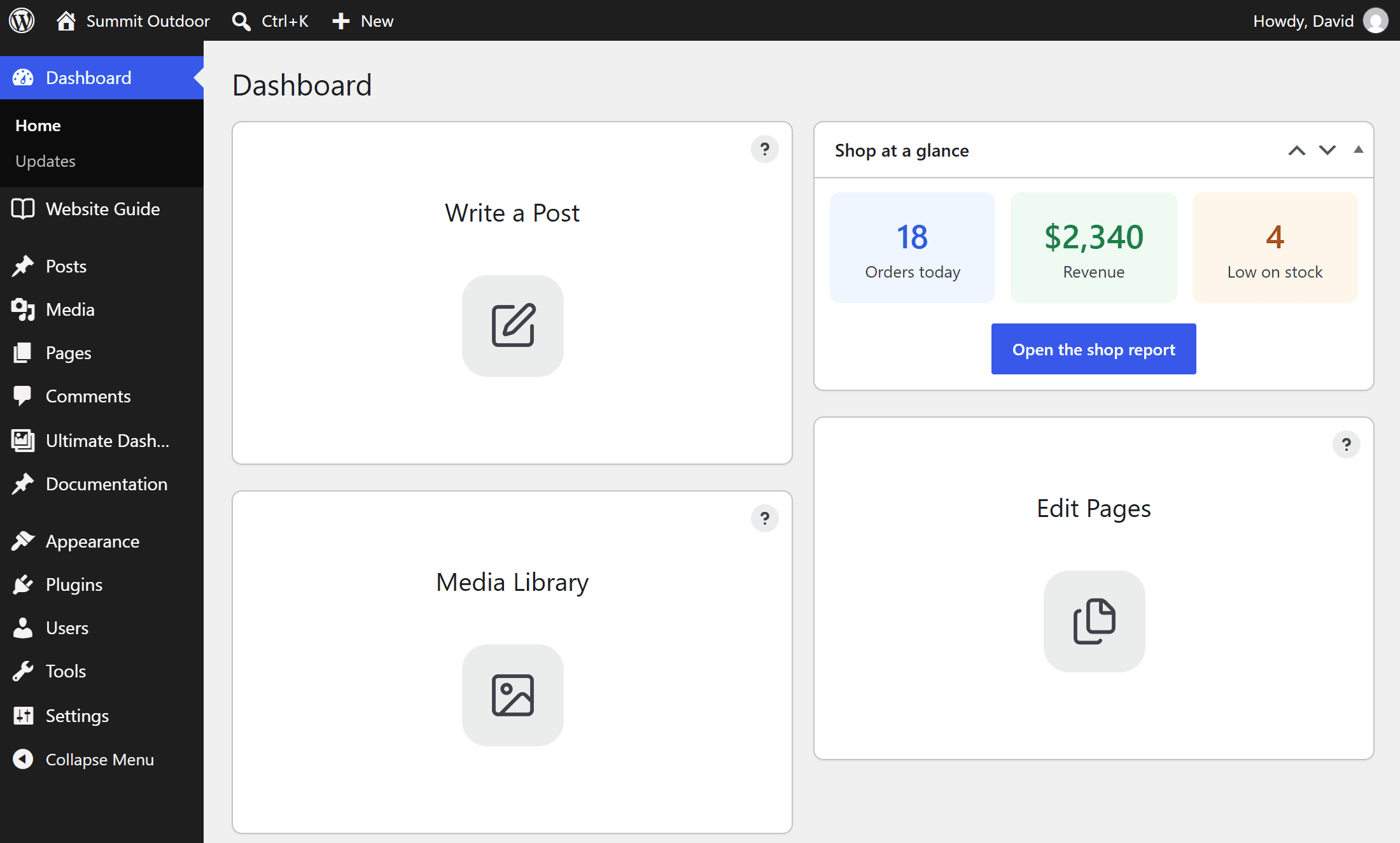
Create an HTML widget
- Go to Ultimate Dash… → Add New.
- Enter a title and choose HTML Widget as Widget Type.
- Add your HTML in the code editor.
- Click Publish.
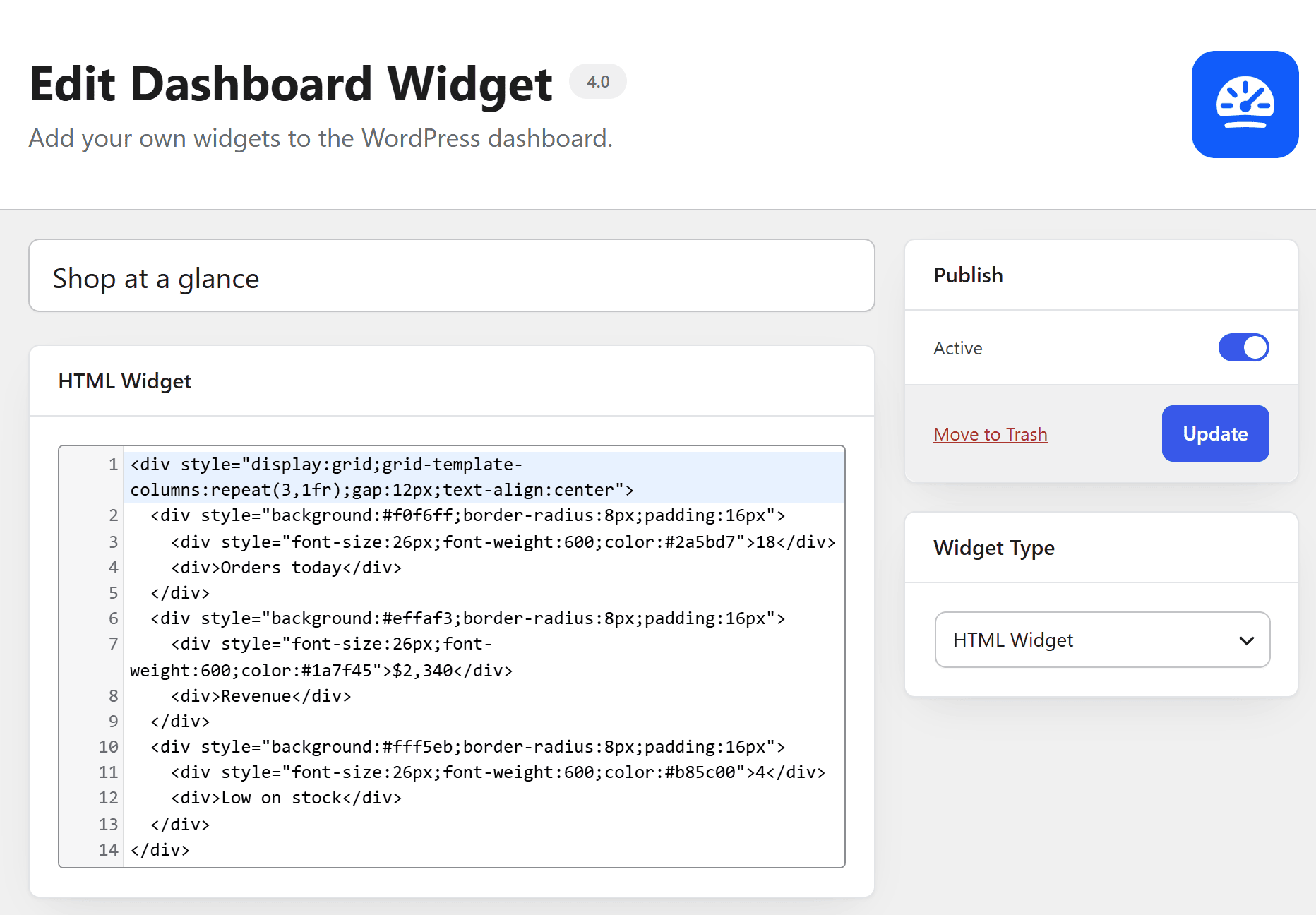
Shortcodes and placeholder tags work inside the HTML widget. To style it, add CSS under Settings → Custom CSS → Custom Dashboard CSS.
Want a whole page instead of a widget? Build a custom admin page with HTML.