
Placeholder tags are short codes in curly brackets, like {first_name}, that Ultimate Dashboard replaces with the real value for each user and site. Use them to greet users by name, or to build links that work on every site, which is a big help on multisite networks.
Where you can use them
- Dashboard widgets: the title, the text widget, the HTML widget and the tooltip of icon widgets
- The welcome panel (Settings → Dashboard Widgets)
- PRO: the title and URL fields of the Admin Menu Editor and Admin Bar Editor (
{site_name}and{site_url})
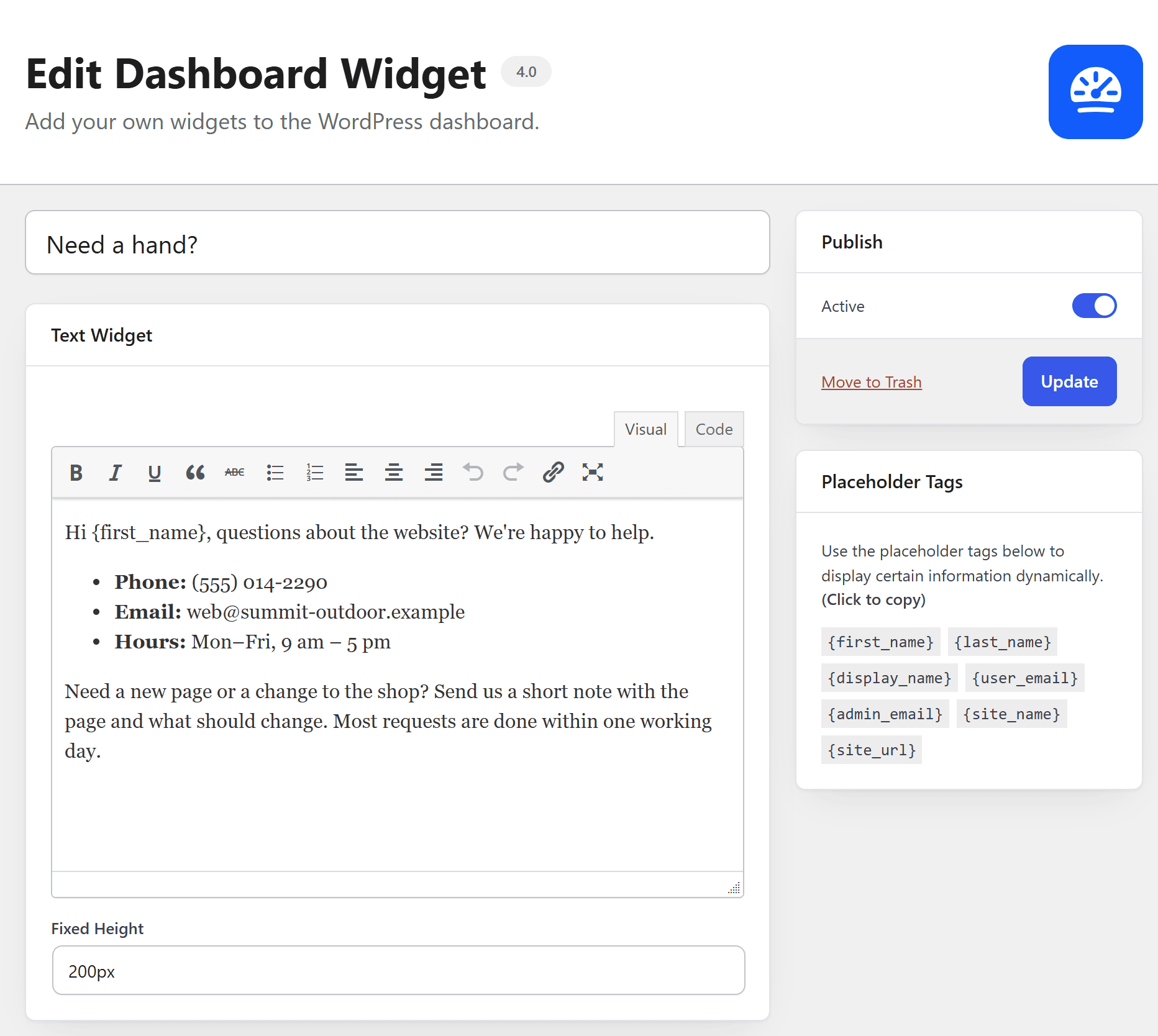
The edit screens show the available tags in a Placeholder Tags box. Click a tag to copy it.
Available tags
{first_name}: the user’s first name{last_name}: the user’s last name{display_name}: the user’s display name{user_email}: the user’s email address{admin_email}: the admin email address of the site{site_name}: the name of the site{site_url}: the URL of the site
Multisite (PRO)
{network_url}: the URL of the main site of the network{blueprint_name}: the name of the blueprint site{blueprint_url}: the URL of the blueprint site
Example
A text widget with “Hi {first_name}, welcome to {site_name}!” shows “Hi Anna, welcome to Anna’s Bakery!” for Anna.