
The welcome panel is the big “Welcome to WordPress” box at the top of the dashboard. For clients it’s mostly noise. With the free Ultimate Dashboard plugin you can remove it, or replace its content with your own welcome message, for example with your logo, a short intro and links to the most important places.
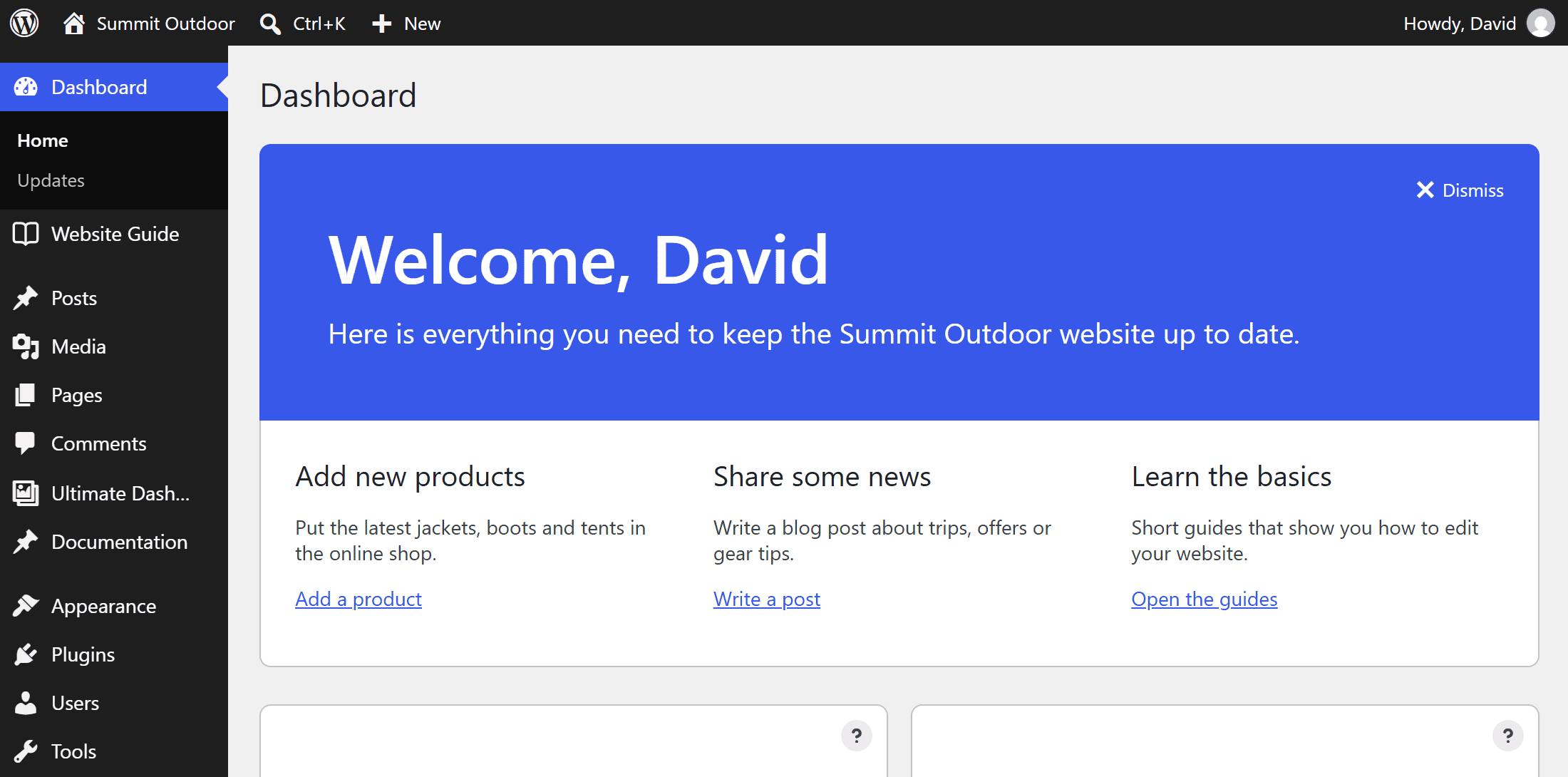
Replace the welcome panel with your own content
- Go to Ultimate Dash… → Settings and stay on the Dashboard Widgets tab.
- In the Welcome Panel box, edit the content. It starts with the WordPress welcome panel, so you can change it or replace it completely.
- Click Save Changes and open the dashboard.
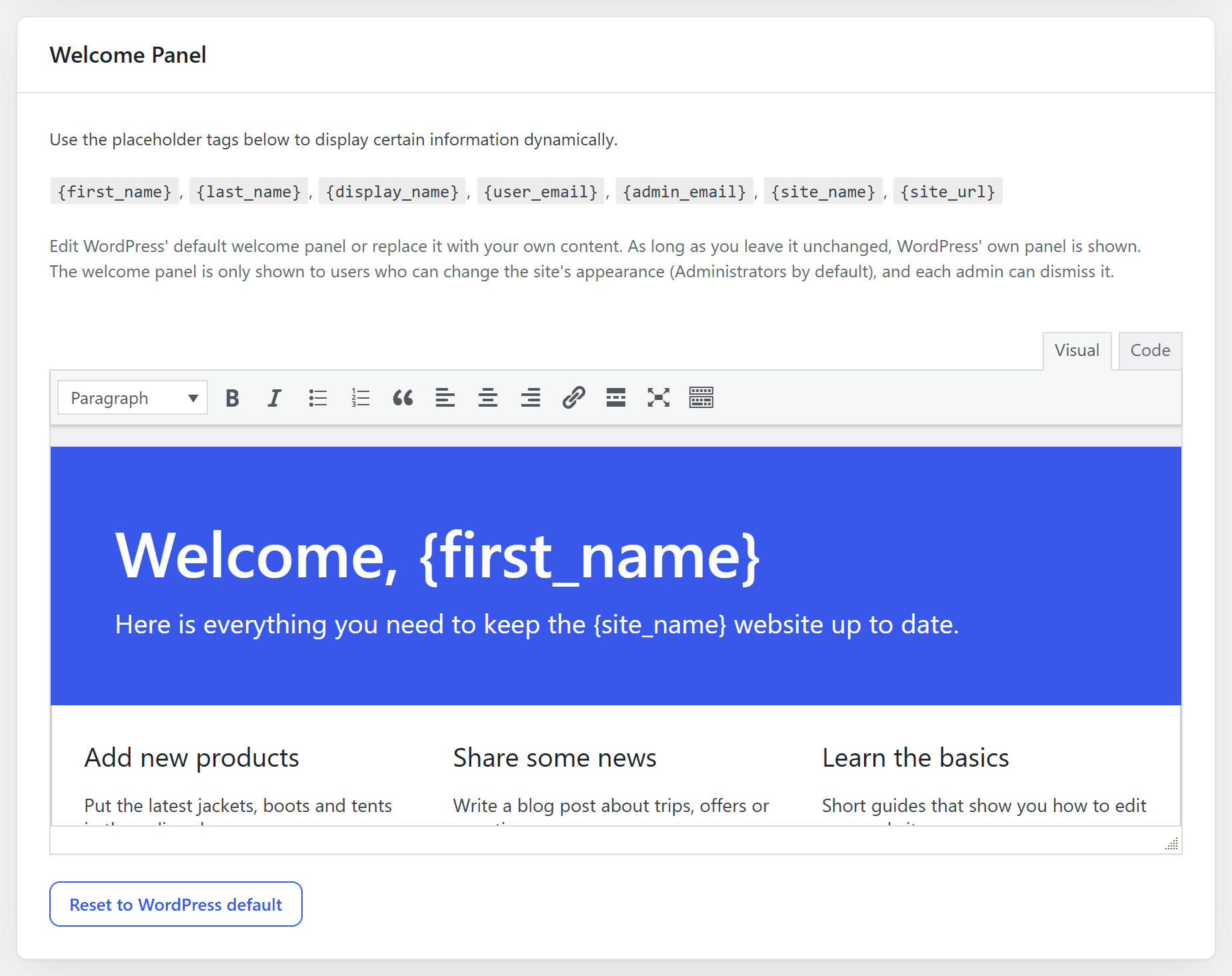
Use placeholder tags to make it personal: “Welcome back, {first_name}!” greets every user by name. Reset to WordPress default brings back the original panel.
Remove the welcome panel
On the same tab, tick Welcome Panel under Remove Individual Widgets and save. The panel is gone for all users.
More ideas for the dashboard
- A text widget or HTML widget works as a smaller welcome box.
- Icon widgets send your clients to the right places.
- With PRO, design the whole dashboard with your page builder.