
Not every widget is for everyone. With Ultimate Dashboard PRO you decide who sees a dashboard widget: only certain user roles, only certain users, or both. Show your clients a different dashboard than your editors, and keep your own notes for admins.
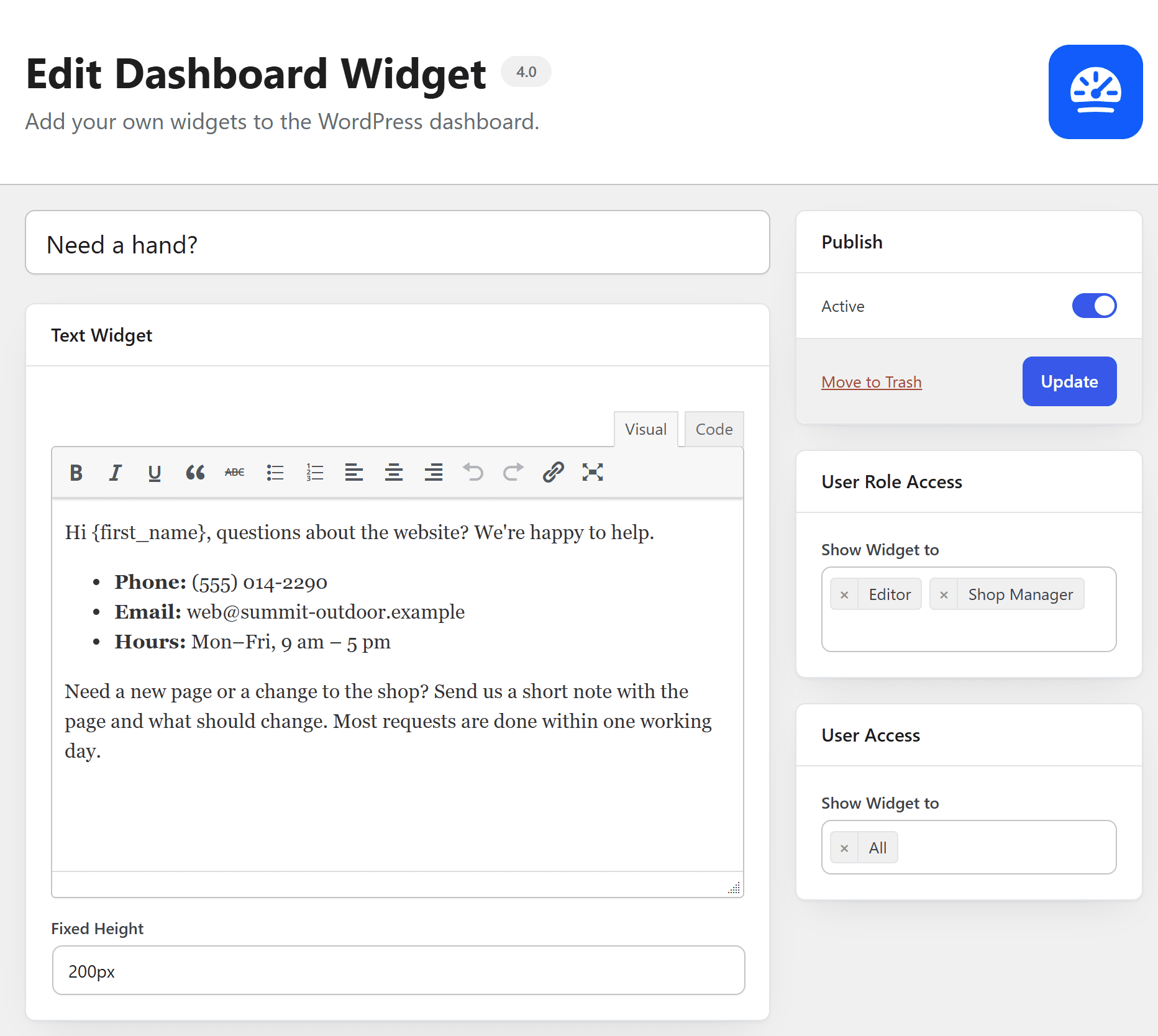
Show a widget only to certain users
- Open the widget under Ultimate Dash… → All Widgets (or create a new one).
- In the User Role Access box, choose the roles under Show Widget to, for example Editor and Author.
- In the User Access box, choose single users if needed.
- Click Update.
Both boxes are set to All by default, so everyone sees the widget. If you set both, a user has to match both to see the widget.
Ideas
- A welcome text for clients and a “to do” list for your team.
- Video tutorials only for the roles that need them.
- A support form for clients, hidden for admins.
Need the whole dashboard to look different per role? The page builder dashboard lets you pick a template per role, and the Admin Menu Editor adjusts the admin menu per role.